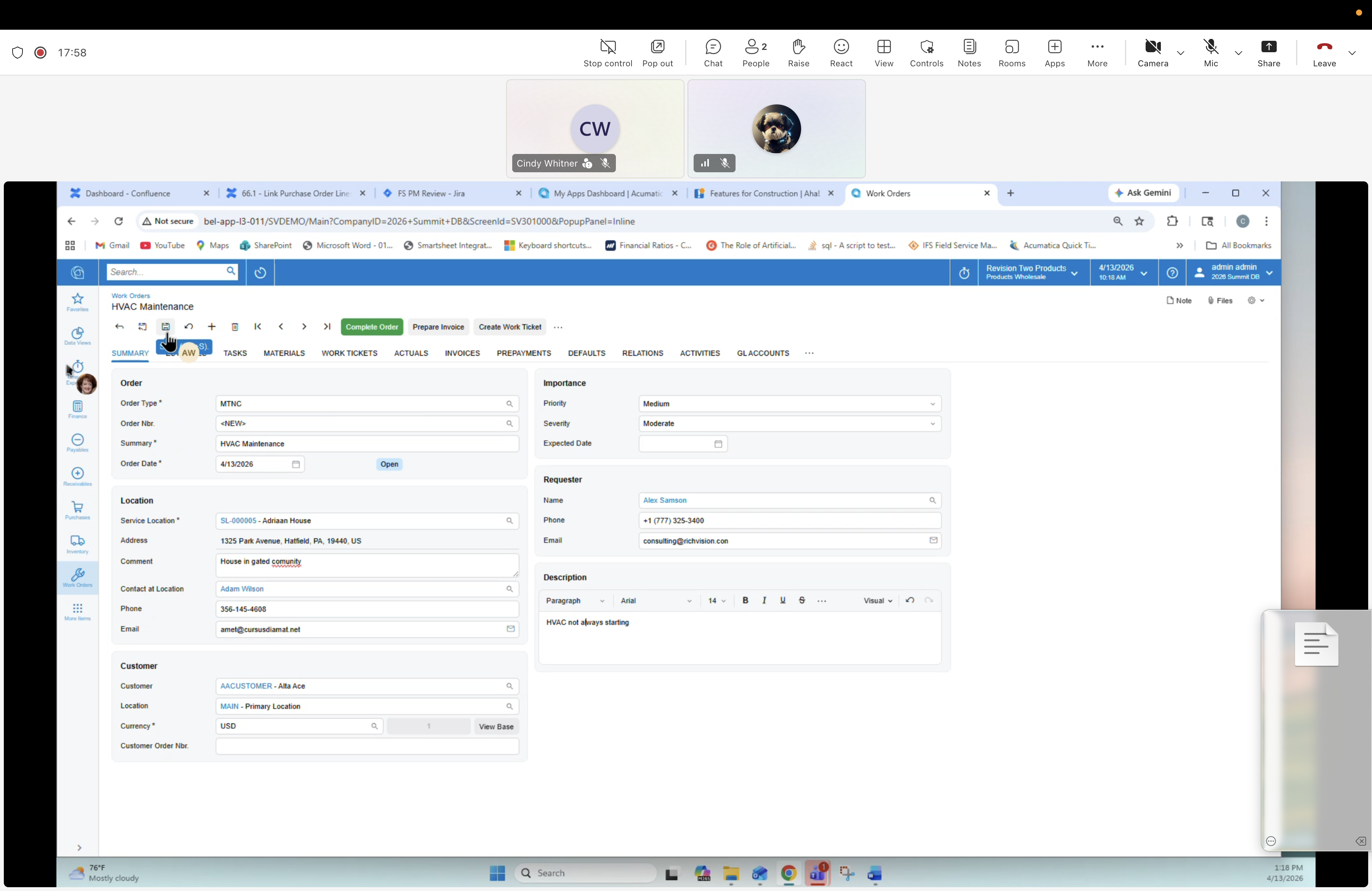
17 — Work Order: Summary tab (populated)
Description
The Work Order SUMMARY tab after selecting Order Type MTNC and linking the Service Location / Customer / Requester. This is the main "cover page" of the record of truth for the job. The navigator jumps here after setting up Service Location, Task Template, and choosing the Order Type.
Screen
Work Orders — WO-000046 · HVAC Maintenance (active tab SUMMARY).
Top tabs
SUMMARY (active), TASKS, MATERIALS, WORK TICKETS, ACTUALS, INVOICES, PREPAYMENTS, DEFAULTS, RELATIONS, ACTIVITIES, GL ACCOUNTS. Process: Complete Order, Prepare Invoice, Create Work Ticket.
Fields — Order
- Order Type: MTNC
- Order Nbr: <NEW>
- Summary: HVAC Maintenance
- Order Date
Fields — Location
- Service Location: AL00026 — Adriaan House
- Address: 1325 Park Avenue, Hatfield, PA 19440, US
- Comment: Portals & gated property
- Contact at Location: Adam Wilson
- Phone: 206-145-4503
- Email: emil@crossadamcal.net
Fields — Customer
- Customer: AACUSTOMER — Alte Ava
- Location: MAIN — Primary Location
- Currency: USD
- Customer Order Nbr: (blank)
Fields — Importance
- Priority: Medium
- Severity: Moderate
- Expected Date: (blank)
Fields — Requester
- Name: (Adam Wilson)
- Phone: +1 (777) 255-5688
- Email: emil@crossadamcal.net
Fields — Description
Rich-text description: "HVAC not shutting down heating."