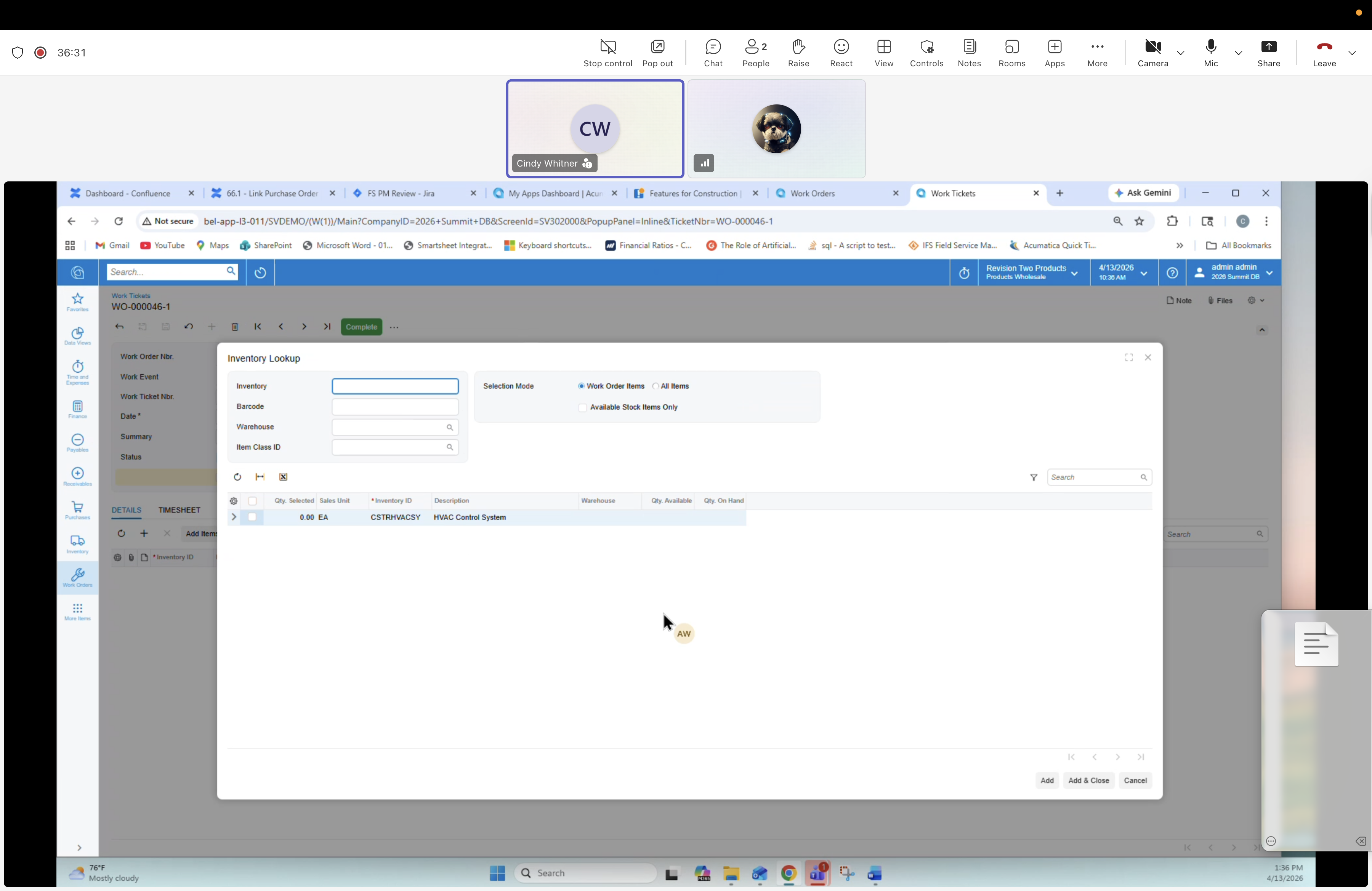
34 — Work Ticket: Inventory Lookup dialog
Description
From the Details tab, the technician opens the Inventory Lookup dialog to find a material. Critical mobile affordance — can filter by Work Order Items (just what's planned on this job) or All Items, and by warehouse (including the technician's truck). Supports truck-to-truck transfers.
Dialog fields
- Inventory
- Warehouse
- Item Class ID
- Selection Mode: ○ Work Order Items / ● All Items
- Available Stock Items Only (checkbox)
Results grid
Columns: *Inventory ID, Warehouse, Qty. Available, Description, Qty. on Hand. Row visible: CSYSTEM01 · WHOLESALE · HVAC Control System.
Dialog buttons
Add, Add & Close, Cancel.