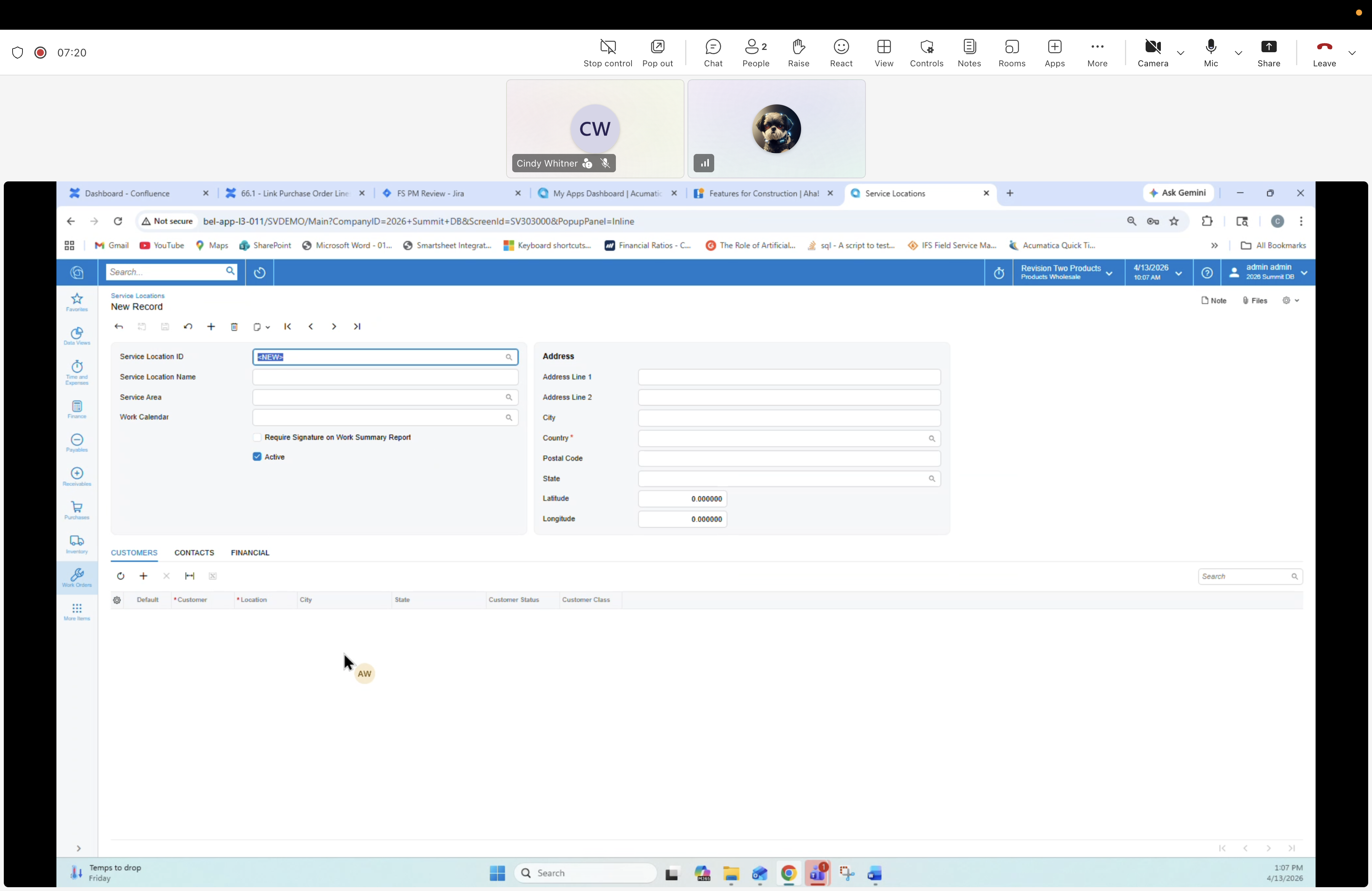
02 — Service Location (NEW, blank)
Description
After the legacy baseline, the demo pivots into the Next-Gen Field Services UI. This screen is the new Service Location entity — a New Record just created. Service Location is a new operational entity separated from Customer so that billing and physical location can be decoupled (one or more customers can bill against a single location).
Screen / Page
Service Locations form, status: New Record.
Toolbar
Save, Cancel, Refresh, Clipboard, Delete, Previous/Next, Note, Files. Tabs (sub): CUSTOMERS (active), CONTACTS, FINANCIAL.
Header fields (blank)
- Service Location ID (highlighted, awaiting input)
- Service Location Name
- Service Area
- Work Calendar
- Require Signature on Work Summary Report (checkbox)
- Active (checkbox — checked)
Address panel (blank)
- Address Line 1
- Address Line 2
- City
- Country
- Postal Code
- State
- Latitude (0.000000)
- Longitude (0.000000)
Customers tab (active, empty grid)
Columns: Default, Customer, Location, City, State, Customer Status, Customer Class.