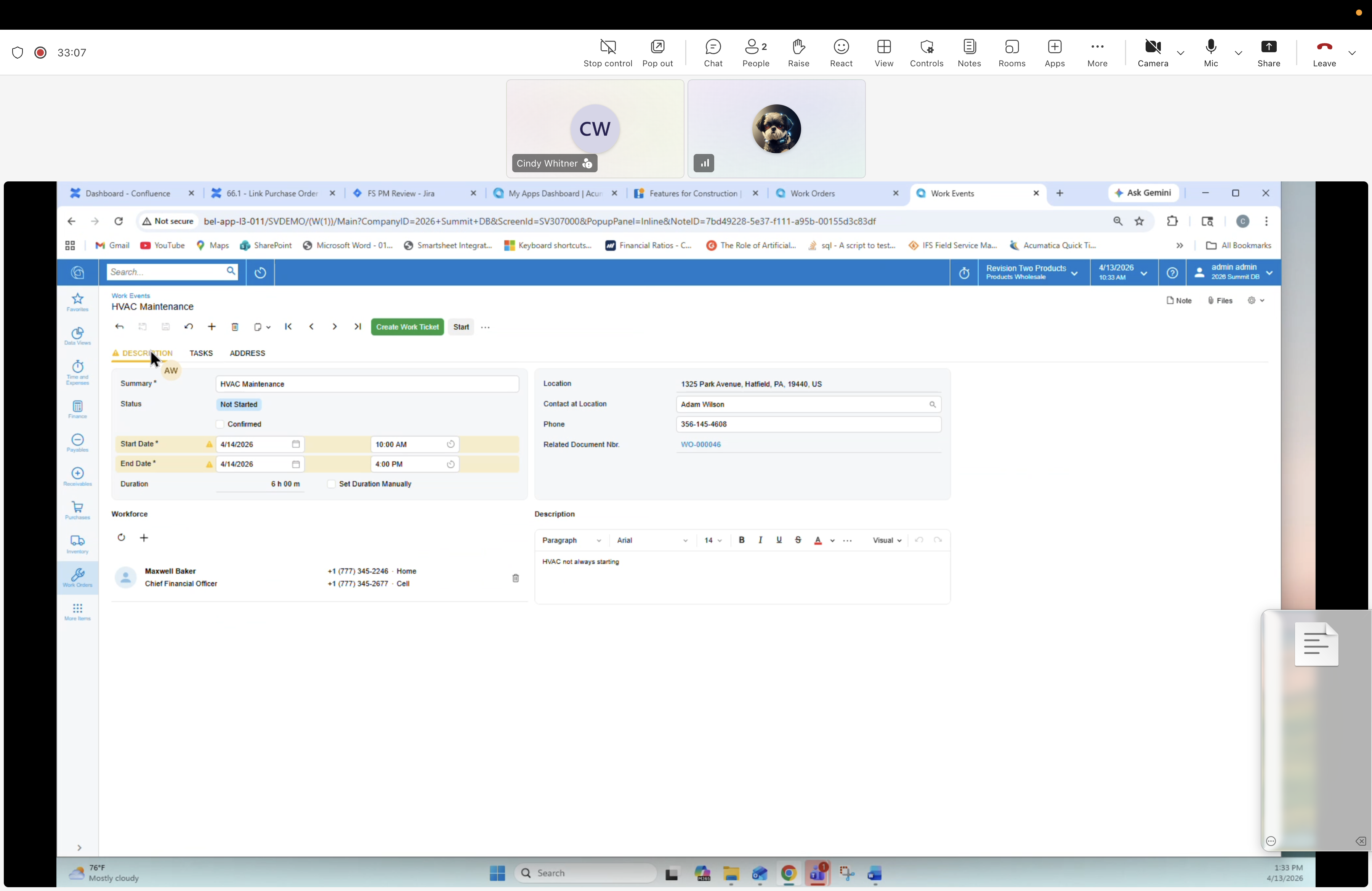
29 — Work Event: Confirmed details (full page)
Description
The Work Event is opened as a full-page record (not side panel) with status Confirmed. This is the post-confirm view for a work order — ready to surface to the technician on their mobile day view, where they can create their own Work Ticket from the event.
Header
Work Event form — HVAC Maintenance. Tabs: Confirm, ... Process: Create Work Ticket, Void.
Header fields
- Summary: HVAC Maintenance
- Status: Confirmed
- Start Date: 4/14/2026 · 8:00 AM
- End Date: 4/14/2026 · 5:00 PM
- Location: 4 h 00 m (Est. Actual Duration)
Right — Location / Contact
- Location: 1325 Park Avenue, Hatfield, PA 19440
- Contact at Location: Adam Wilson
- Phone: 206-145-4503
- Related Document Nbr: WO-000046
Model note
- The Work Event belongs to Work Order WO-000046.
- The technician calendar is driven by Work Events.
- Each technician creates their own Work Ticket from the selected Work Event to log the work they performed.
Tabs below
TASKS, SUMMARY.
Workforce
- Maxwell Baker — Service Technician — +1 (777) 144-2145 (Home) · +1 (777) 144-2213 (Cell)
Description
HVAC not shutting down heating.